
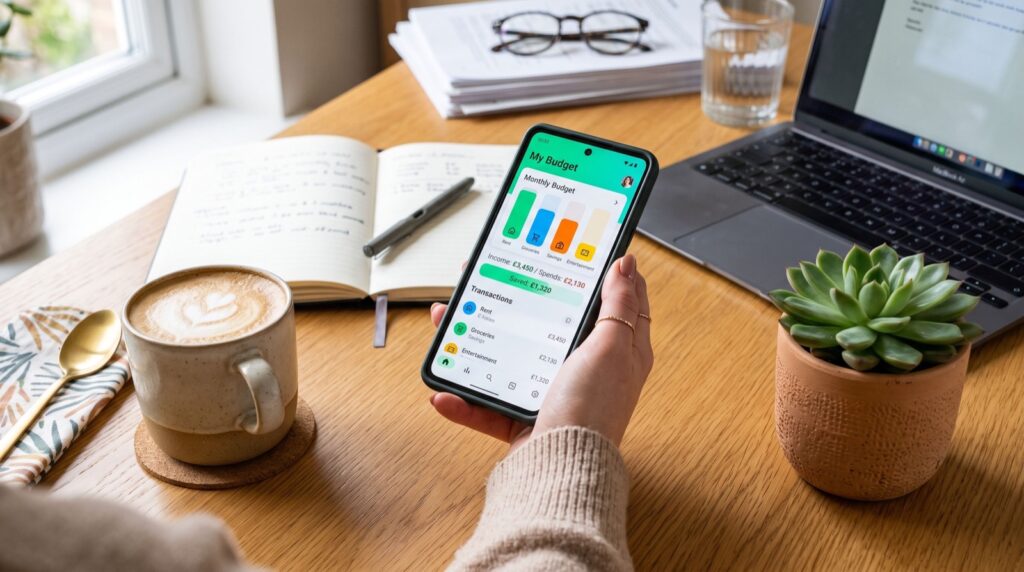
Money Apps in 2026: How to Build a Smarter Cash System
The best money apps have quietly replaced the shoebox of receipts, the paper checkbook register, and the once-a-month bank statement most of us grew up with. In 2026, a single phone can hold your checking account, your savings buckets, your cashback tracker, and your side-income ledger all at once. The tricky part is not finding an app. It is choosing the right handful and wiring them together so they actually move your money forward instead of just displaying numbers.
This guide walks through how modern personal finance tools fit together, how to pick the ones worth your screen space, and how to avoid the fee traps that silently drain accounts. Everything here is written for a US audience juggling everyday spending, occasional saving, and the constant urge to squeeze a little more value out of each dollar.
Why money apps matter more than ever
Cash is increasingly digital. According to the Consumer Financial Protection Bureau, peer-to-peer payment volume has climbed steadily for years, and most Americans now send money by phone more often than by check. That shift means the app you tap five times a day has real influence over how much you keep.
A good app does three things at once. It shows you where money went, nudges you before you overspend, and makes saving the default rather than a chore. When those three functions live in tools you actually open, your finances improve almost by accident.
The four jobs your phone should handle
- Spending visibility: a clear feed of transactions with categories you understand.
- Automatic saving: round-ups or scheduled transfers that happen without your attention.
- Fast, free transfers: moving money to friends, family, or your own accounts.
- Rewards capture: cashback, boosts, and referral bonuses that add up over a year.
What are the best money apps for everyday use?
There is no single winner, because the right stack depends on your habits. Still, a few categories deserve a spot on almost every phone. Below is a practical comparison of the app types most US users rely on, along with what each one does best.
| App type | Primary job | Typical cost | Best for |
|---|---|---|---|
| P2P payment app | Send and receive money instantly | Free (instant cash-out fee) | Splitting bills, paying friends |
| Budgeting app | Track spending by category | Free to $15/mo | Seeing where money goes |
| High-yield savings app | Grow idle cash | Free | Emergency fund, short goals |
| Cashback app | Earn on purchases you already make | Free | Groceries, gas, online orders |
| Investing app | Automate small investments | Free to low fee | Long-term compounding |
If you want a deeper walkthrough of one of the most popular P2P tools, this Cash App guide breaks down features, limits, and hidden costs in plain language. It is a useful reference before you commit to any single platform.
How to choose the right app for your situation
Do not download ten apps and hope for the best. Instead, work through a short filter that matches tools to your real life. I have tested dozens of these platforms, and the same questions keep separating the keepers from the clutter.
- What problem hurts most right now? If overdrafts sting, start with a spending tracker. If you never save, start with round-ups.
- What does it truly cost? Look past the free label. Instant transfer fees, monthly subscriptions, and ATM charges matter.
- Is your money protected? Confirm FDIC insurance through a partner bank and read how disputes are handled.
- Does it play nicely with your bank? Smooth linking and fast transfers save real frustration.
- Will you actually open it? The most powerful app is worthless if it lives on page three of your home screen.
One original tip from experience: pick a single day each week, say Sunday evening, to open every finance app for ten minutes. This ritual catches surprise charges early, keeps categories accurate, and turns scattered tools into a real system. People who skip the ritual almost always drift back to guesswork.
Watch the fees that hide in plain sight
Free apps make money somewhere. The most common quiet charges are instant-transfer fees, out-of-network ATM fees, subscription tiers you forgot to cancel, and currency conversion markups. None are dramatic on their own, yet together they can cost a casual user well over a hundred dollars a year. Reading the fee schedule once saves you that money every year after.
Building a simple money app stack
You do not need a complex setup. A lean stack of three or four apps covers most needs without turning finance into a part-time job. Here is a template that works for a typical US household.
- One P2P app for sending and receiving money among friends and family.
- One budgeting app to see spending clearly and set gentle limits.
- One high-yield savings account where your emergency fund quietly earns interest.
- One cashback or rewards app layered on top of purchases you already make.
Once the stack is in place, automate the boring parts. Schedule a weekly transfer to savings, turn on round-ups, and set alerts for large transactions. Working with trusted platforms and quality service providers keeps your data and your money safer than chasing every shiny new download.
Frequently Asked Questions
Are money apps safe to use in 2026?
Reputable money apps use encryption, two-factor authentication, and FDIC-insured partner banks. Safety mostly depends on your habits: use a strong unique password, enable biometrics, and never send money to strangers. Treat any app that resists these basics as a red flag.
How many money apps should I actually use?
Three or four is the sweet spot for most people. One payment app, one budgeting app, one savings account, and one rewards app cover nearly every daily need without overwhelming you. More than that and you start forgetting subscriptions and missing charges.
Do money apps charge hidden fees?
Many are free for standard use but charge for instant transfers, out-of-network ATMs, or premium tiers. Always read the fee schedule before linking your bank. A few minutes of reading can save you a hundred dollars or more each year.
Can money apps help me save automatically?
Yes. Round-up features, scheduled transfers, and savings buckets let you save without thinking about it. Automating even ten dollars a week builds a meaningful cushion over a year, which is the whole point of letting software do the work.
Final thoughts
The right money apps turn scattered dollars into an organized system that works while you sleep. Start with the problem that bothers you most, choose tools that are transparent about fees, and automate everything you can. In 2026, the smartest financial move is not finding one perfect app. It is building a small, trusted stack and letting good habits compound. Pick your first app today, wire in one automatic transfer, and let the momentum carry you forward.